
If you've been using Lens Lookout to monitor vegetation loss, track construction activity, or catch encroachment on your properties, you know how valuable automated change detection can be.
We’ve introduced a major set of improvements that make alerts more precise, more interpretable, and much easier to configure, empowering your team to respond sooner without extra busywork.
The setup process is now broken into intuitive steps. We’ve introduced a time-series preview, which lets you see historical values for your selected dataset and choose threshold values with confidence before you activate a policy.

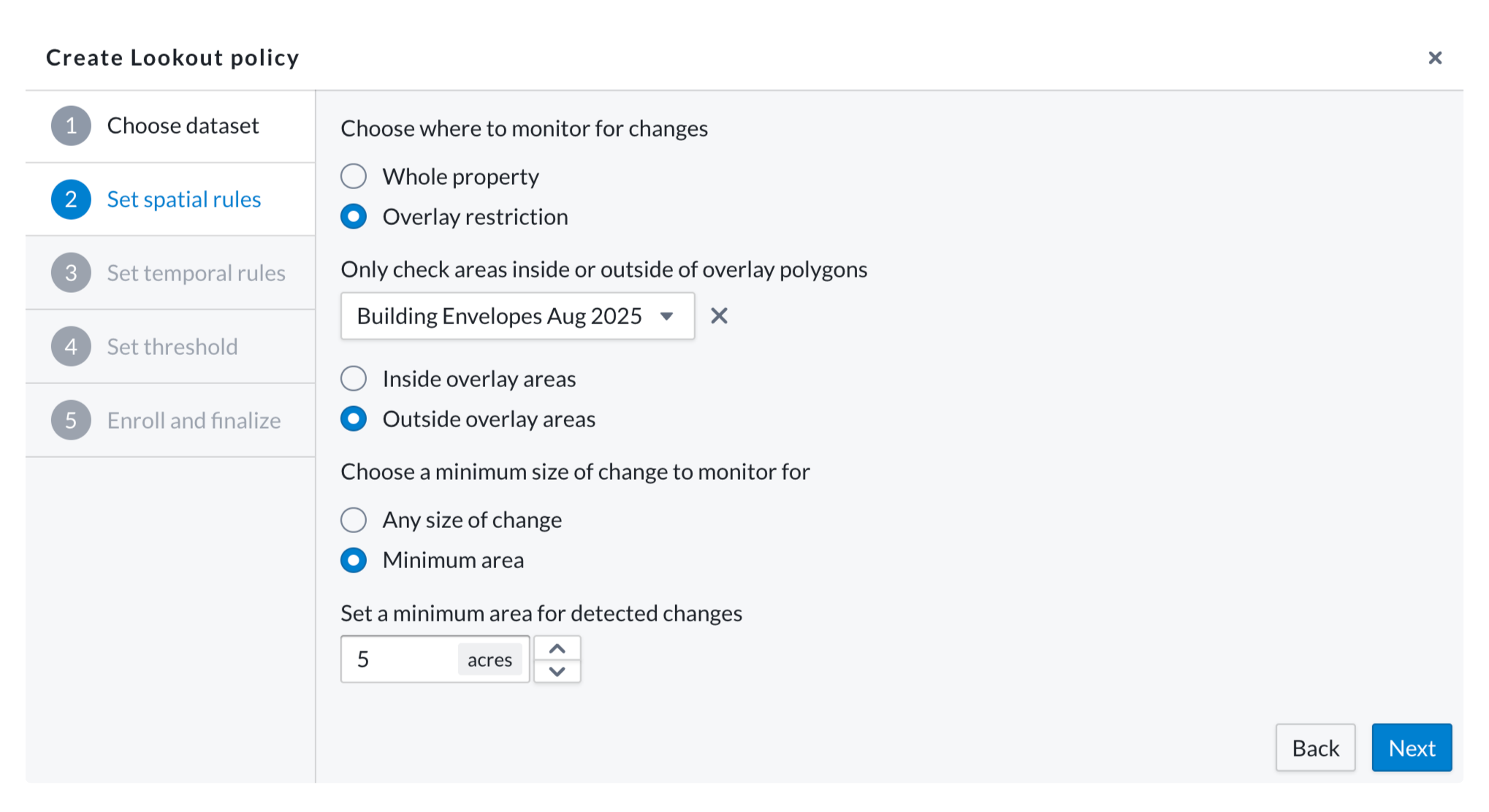
Minimum-area thresholds: Setting a minimum size for changes that trigger alerts reduces noise and helps you match the automation to your existing monitoring protocols. If you're only concerned with larger-scale changes—like logging events that exceed a certain acreage—you can easily filter out smaller disturbances. Conversely, if you want to catch even the smallest changes on your sites, you can set alerts to trigger on any size change, capturing disturbances down to a fraction of an acre.
Inside/outside overlay checks: Monitor inside or outside specific polygon layers, such as wetlands, building envelopes, or riparian buffers. This gives you spatial control that mirrors how you actually manage land. For example, you can monitor buffer zones for encroachment while excluding fluctuating water bodies that create noise. Or, you might exclude agricultural fields with naturally fluctuating vegetation levels while still catching encroachment on other parts of the property.
Limit alerts to specific times of year, like "only notify between March and August." Focus on relevant seasons—growing season, fire season, harvest period—while reducing off-season noise. Particularly useful for agricultural and other seasonally-driven monitoring, you can activate green-up notifications in the spring only to monitor for cover cropping, or set alerts only during harvest windows to catch unexpected disturbances.
Vegetation drop alerts now benefit from better scene handling, improved noise reduction around clouds and seasonal transitions, and access to the same spatial and temporal rules above. We've also updated the alert text for improved clarity, and given you more customizability—restrict vegetation drop alerts by area using overlay options or limit them to certain times of year. This means less time reviewing false positives so you can get to the heart of real issues on your properties faster.
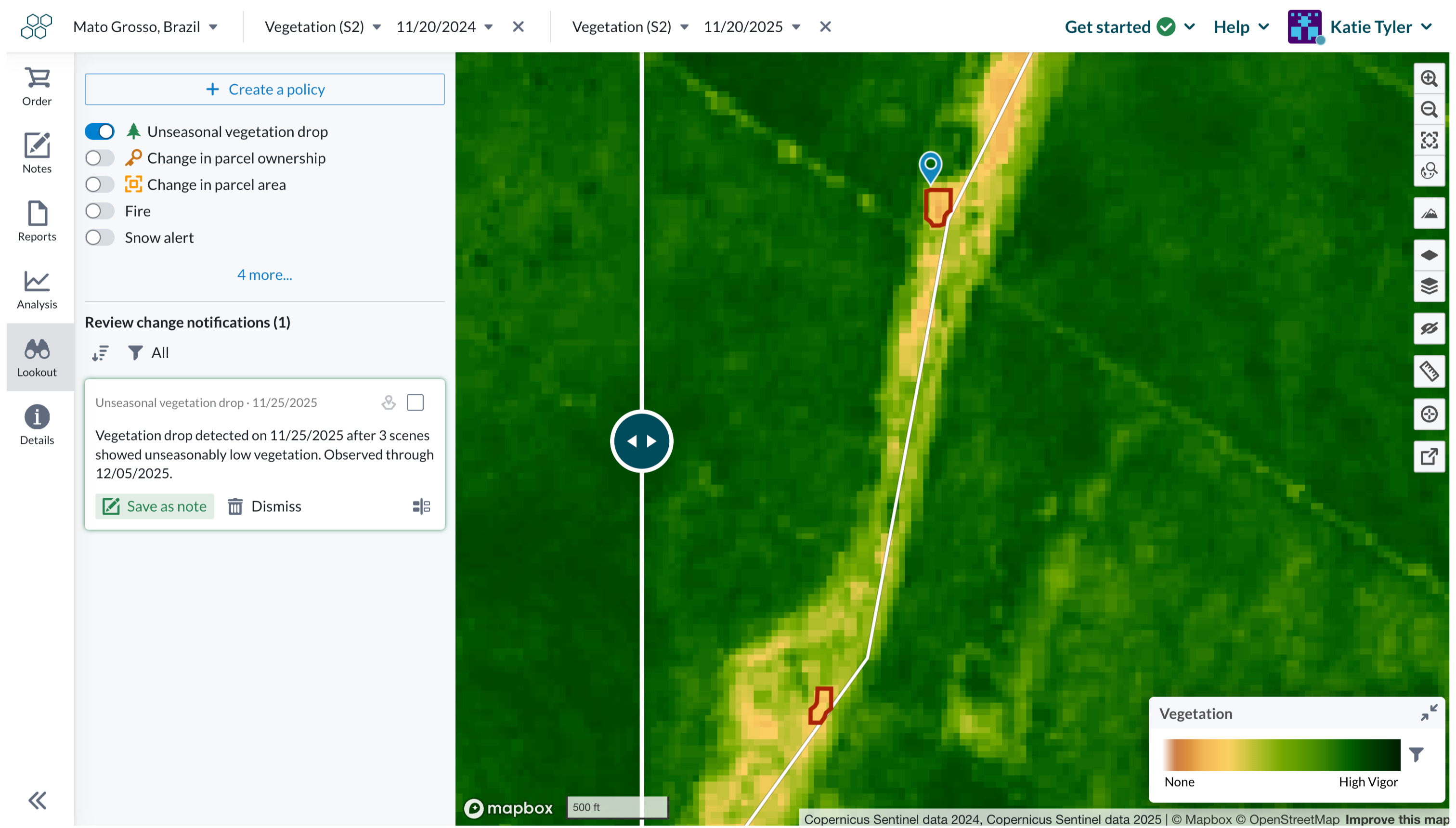
With Lens, it takes just a few minutes for users to go from “I need to watch out for a change on my properties” to introducing an automated monitoring assistant into your workflow, keeping an eye out for you in the background. The steps for setting up a Lookout are easy:
Track build-out with minimum area thresholds that filter noise and spatial controls focused on specific parcels.
Set seasonal monitoring during dry season with minimum area thresholds to catch meaningful disturbances while ignoring natural variations.
Monitor inside designated boundaries with minimum area rules that match regulatory thresholds.
Monitor buffer zones around protected areas while excluding noise from core management areas.
Log into Lens and navigate to the Lookout section to create your first custom monitoring policy with these new controls. Check out our knowledge base or reach out to our team if you have questions.